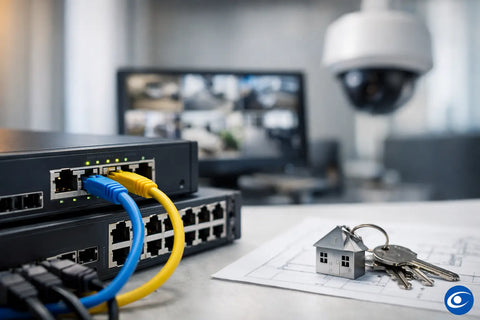
A network closet can look organized and still be underpowered. The usual culprit is a switch selected by port count alone, then asked to run WiFi access points, security cameras, door access hardware, and other connected systems. To choose PoE network switches correctly, start with what each device needs from the network and from the switch’s power supply - not just how many Ethernet cables terminate in the rack.
Power over Ethernet, or PoE, sends both data and electrical power through a single Ethernet cable. That can simplify installation, reduce the need for nearby outlets, and make devices easier to centrally manage. But the right switch for a small office, restaurant, home, warehouse, or multi-floor property depends on the devices, cable runs, network design, and room for future expansion.
Start With the Devices You Need to Power
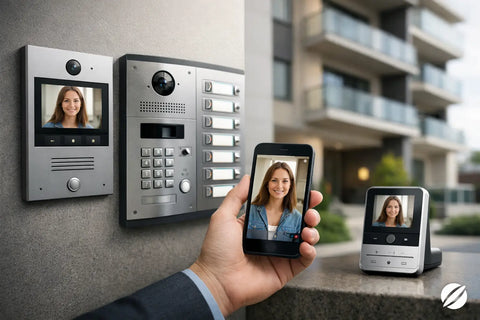
A PoE switch is often the central connection point for wireless access points, IP cameras, video doorbells, intercoms, VoIP phones, access-control panels, and certain AV endpoints. Make a device list before selecting hardware. Include devices installed today as well as anything already planned for the next phase of the project.
Each device should be documented with its required PoE standard, maximum wattage, network speed, and physical location. A basic fixed camera may draw relatively little power, while a pan-tilt-zoom camera with infrared illumination can require substantially more. A modern WiFi 6 or WiFi 7 access point may also need higher PoE capacity to deliver its intended performance.
The details matter because a switch can have enough ports but still fail to provide the power or bandwidth your equipment expects. A camera may operate intermittently, an access point may enter a reduced-power mode, or a door controller may not start reliably after an outage. These are avoidable problems when the switch is sized around the actual system.
Understand PoE Standards and Power Requirements
Not all PoE ports provide the same amount of power. The common standards are 802.3af, often called PoE; 802.3at, commonly called PoE+; and 802.3bt, which is frequently described as PoE++ or high-power PoE.
Standard PoE is suitable for many phones, basic cameras, and lower-power devices. PoE+ supports more demanding cameras and access points. High-power PoE is used for equipment with greater electrical needs, such as advanced access points, PTZ cameras, displays, and specialized building technology.
Do not assume that a device labeled “PoE compatible” will receive all the power it needs from any PoE switch. Check both the device requirement and the switch’s per-port capability. A high-power device connected to a lower-power port may turn on but lose features, perform poorly, or become unstable under load.
Cable length also affects available power. Long runs, older cable, or poor terminations can introduce voltage loss. For a large property, warehouse, or outdoor camera installation, cable paths should be part of the equipment decision rather than an afterthought.
The Total PoE Budget Is Just as Important
A switch’s total PoE budget is the maximum amount of power it can supply across all PoE ports at once. This number is often more useful than the number of powered ports printed on the front of the unit.
For example, an eight-port PoE+ switch may have eight ports capable of PoE+, but a total budget that cannot power eight high-demand devices simultaneously. If four access points and four cameras could draw a combined 150 watts during peak operation, selecting a switch with a 120-watt budget creates a built-in limitation.
Add the maximum expected draw of each powered device, then allow reasonable headroom. A practical target is often 20 to 30 percent additional capacity for startup demand, seasonal changes such as infrared cameras working overnight, and future additions. The appropriate margin depends on the project, but a switch that operates at its ceiling leaves little flexibility when the system needs to grow.
Choose the Right Port Count - Then Add Capacity
Count every wired connection, not only the PoE devices. Your switch may also need ports for a gateway, network video recorder, desktop computers, printers, AV receivers, control processors, uplinks to another switch, and hardwired smart-home equipment.
For a small residential network, an eight- or 16-port switch may be sufficient. A property with multiple access points, exterior cameras, a structured wiring panel, distributed audio, and dedicated entertainment equipment may need 24 ports or more. Commercial spaces can outgrow an undersized switch quickly, especially when surveillance and access control are added after the initial network installation.
Leave open ports. Buying exactly the number of ports required today can lead to an unnecessary replacement or a cluttered add-on switch later. A few available ports protect the design from simple changes, such as adding a camera at a delivery entrance or installing another access point to improve coverage in a conference room.
Match Network Speed to the Workload
Many PoE switches offer Gigabit Ethernet on every port, which is a sound baseline for most connected devices. Cameras, phones, control systems, and many access points will operate well at 1 Gbps. However, uplink capacity deserves closer attention when many devices share one connection back to the gateway, core switch, server, or recorder.
A bank of cameras may not individually require much bandwidth, but their combined video traffic can be significant. Multiple access points serving busy office users, streaming devices, or high-resolution media systems can create a similar bottleneck. Look for switches with 2.5 GbE, 10 GbE, or fiber uplinks where the traffic profile calls for it.
For residential projects, faster uplinks can be especially helpful when a network includes a media server, network-attached storage, multiple high-performance access points, or a dedicated home theater system. For business environments, they support cloud applications, local file transfers, surveillance recording, and growth without forcing a redesign.
The right answer depends on traffic patterns. A 10 GbE uplink is not mandatory for every installation, but it is often a smart consideration when installing new cabling and switches intended to remain in service for years.
Managed vs. Unmanaged PoE Switches
An unmanaged PoE switch is simple: connect devices, and it begins passing traffic. It can be appropriate for a small, isolated system with limited requirements. The trade-off is visibility and control. When something stops working, there is little information available to help identify whether the issue is the device, cable, power, or network configuration.
A managed switch provides the tools needed for professional network design. It can support network segmentation through VLANs, traffic prioritization, remote port monitoring, PoE power management, firmware updates, and device-level troubleshooting. These features are valuable when security cameras, guest WiFi, employee computers, access control, and smart-home systems need to remain separated and reliable.
For most connected homes and commercial properties, managed switching is the better long-term decision. It helps protect operations and makes future changes cleaner. A guest WiFi network, for example, should not have the same network access as a camera recorder or door access controller.
Consider Remote Management and Ecosystem Fit
If the property uses a unified networking platform, choosing switches within that ecosystem can simplify setup and support. A centralized dashboard can show a switch’s power consumption, connected clients, uplink status, and port errors without requiring separate tools for every component.
This does not mean every property needs the same manufacturer or platform. The best fit depends on the existing gateway, access points, surveillance equipment, budget, and service expectations. What matters is that the final design gives the owner or property manager a clear path to monitor, maintain, and expand the system.
Plan for the Installation Environment
A switch belongs in an environment that supports reliable operation. In a home, that may be a structured wiring enclosure or dedicated rack. In a restaurant, retail site, or warehouse, it may be a locked network cabinet located away from heat, moisture, dust, and unauthorized access.
Confirm whether the switch is designed for rack mounting, wall mounting, or desktop placement. Factor in ventilation, power backup, cable management, and service access. Fanless models are useful in quiet residential areas or offices, while higher-capacity switches may use fans and belong in a utility room or equipment closet.
A properly sized uninterruptible power supply also deserves attention. It can keep critical network equipment, cameras, and access-control components operating through short outages and can reduce disruption after a power event. The backup runtime required will vary, but the switch, gateway, modem, and recorder should be evaluated as one connected system.
Avoid the Cheapest-Switch Trap
The lowest-priced PoE switch can be a reasonable fit for a very basic project, but it is rarely the right place to cut costs on a system that supports security, business operations, or whole-home connectivity. Lower-cost hardware may have a smaller power budget, limited support, fewer management options, or less dependable thermal performance.
That does not mean the most expensive switch is automatically better. Oversizing a small network with enterprise features that will never be used can waste budget that would be better spent on quality access points, cabling, backup power, or professional installation. The goal is a balanced system where every component supports the intended result.
Wall Street Networks designs PoE switching around the complete environment - internet service, WiFi coverage, camera placement, access control, AV needs, equipment location, and future plans. That approach prevents a common mistake: treating the switch as a commodity when it is actually the foundation for the devices people rely on every day.
Before purchasing, confirm the power standard, total PoE budget, port count, uplink speed, management requirements, and physical installation plan. A well-chosen switch stays mostly invisible, which is exactly the point: cameras remain online, WiFi stays responsive, doors operate as expected, and the network is ready when the property needs one more connection.