A WiFi upgrade can only perform as well as the cable feeding the access point. The same is true for cameras, conference rooms, media racks, and business networks. When comparing fiber versus ethernet cabling, the right answer is rarely about choosing the newest or fastest option everywhere. It is about matching the cable to the distance, devices, power requirements, budget, and long-term plans for the property.
For most homes and small to mid-sized businesses, a hybrid design is the practical answer: fiber for long backbone runs and high-capacity connections, with copper Ethernet at the edge for powered devices. A professional site review helps identify where that investment delivers a real benefit and where it would simply add unnecessary cost.
Fiber versus Ethernet cabling: the key distinction
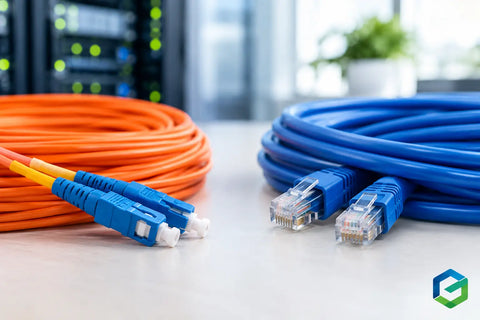
The terminology can be confusing because fiber can carry Ethernet data. In most project conversations, though, “Ethernet cabling” means copper twisted-pair cable such as Cat6, Cat6A, or, in older buildings, Cat5e. Copper cable uses electrical signals. Fiber-optic cable uses pulses of light through strands of glass or plastic.
That difference affects far more than speed. Copper Ethernet is familiar, flexible, and excellent for short runs. It can also deliver Power over Ethernet, or PoE, which allows one cable to provide both data and power to devices such as WiFi access points, IP cameras, intercoms, and access-control readers.
Fiber supports much greater distances, higher bandwidth potential, and strong resistance to electrical interference. It does not carry PoE, so every fiber-connected endpoint needs local power or a separate power design. That trade-off is often the deciding factor in an installation.
Where copper Ethernet makes the most sense
Cat6 and Cat6A are the workhorses of structured cabling. They are typically the best choice for runs from a network closet to rooms, desks, televisions, wireless access points, cameras, door stations, and other connected endpoints. In a home, this may mean a Cat6A run to every TV location, office, ceiling access point, and planned camera position. In an office or retail space, it may mean dedicated drops for workstations, point-of-sale equipment, displays, and security devices.
Copper is especially valuable when PoE is part of the plan. A ceiling-mounted access point should not require an outlet above the ceiling. A security camera mounted on an exterior corner should not depend on a separate power adapter exposed to the elements. With correctly specified PoE switching and cabling, each device receives reliable connectivity and centralized power from the network rack.
Distance is the main constraint. Standard copper Ethernet runs are generally limited to 100 meters, or about 328 feet, including patch cables. That is more than enough for many residences, offices, and small commercial suites. It becomes limiting in large homes, warehouses, multi-building sites, parking areas, detached structures, and properties with equipment rooms far from the devices they serve.
Cat6 can support 1 Gigabit Ethernet across the standard distance and can support 10 Gigabit Ethernet over shorter distances. Cat6A is designed to support 10 Gigabit Ethernet up to the full 100-meter channel, making it a smart consideration for new construction, major renovations, and commercial deployments where cabling should remain useful for years.
When fiber is the better infrastructure choice
Fiber becomes compelling when a connection must travel farther than copper supports, when a site needs substantial backbone capacity, or when electrical conditions make copper less desirable. A detached garage, guest house, pool house, warehouse office, gatehouse, or separate commercial suite can all be strong candidates for fiber.
For example, running copper between buildings can create issues with grounding and electrical potential differences. Fiber is nonconductive, so it does not transmit electrical surges or ground faults between structures. That makes it a safer, cleaner way to connect separate buildings while maintaining one coordinated network.
Fiber is also the right choice between network closets, equipment racks, or floors of a larger building. Rather than installing multiple copper links to support growing traffic, a fiber backbone can carry 10, 25, 40, or more Gigabits per second depending on the equipment and optics selected. The cable itself may support future upgrades without requiring new pathways to be opened later.
There are two common types. Multimode fiber is frequently used for shorter, high-speed links inside commercial buildings. Single-mode fiber is suited to longer distances and offers more flexibility for future expansion. The best choice depends on the required distance, transceiver costs, existing equipment, and whether the property may add buildings or network rooms over time.
Fiber is not automatically the premium choice for every run. Installing fiber to a single camera or access point generally creates more complexity because that endpoint still needs power. In those situations, Cat6A with PoE is usually more efficient and easier to service.
Speed is only one part of the decision
It is easy to assume fiber is necessary because an internet provider advertises multi-gig service. In reality, a 2 Gigabit or 5 Gigabit internet connection does not mean every device needs a fiber drop. A properly designed copper network with multi-gig switching can support demanding home and business use, including 4K streaming, video conferencing, cloud applications, security recording, and multiple WiFi access points.
The larger question is where traffic concentrates. A network video recorder receiving streams from dozens of cameras, a media server serving several rooms, or a business switch carrying traffic for an entire floor may benefit from fiber uplinks. Those high-demand links can be fiber while the individual device connections remain copper.
This approach avoids overbuilding the edge of the network while preventing bottlenecks where they matter. It also leaves room for future upgrades. A well-planned rack can use switches with fiber uplink ports today and higher-capacity optics later, without replacing the entire cabling system.
Installation realities: cost, pathways, and serviceability
Copper cable and its terminations are generally less expensive than fiber components and easier to terminate in the field. Fiber requires careful handling, appropriate connectors, specialized testing, and compatible optics or media equipment at each end. The labor and hardware costs can be justified, particularly over long distances, but they should be part of the project plan from the start.
Pathways matter just as much as cable type. Conduit, accessible raceways, pull strings, proper bend radius, and labeled terminations make future service much easier. A beautiful finished space is not a reason to make infrastructure inaccessible. In a custom home, planning cable routes before drywall can preserve options for additional WiFi coverage, outdoor entertainment, cameras, smart shades, and AV components later.
For existing spaces, the goal is to make intelligent use of available routes rather than force a one-size-fits-all design. A clean installation may combine attic and basement pathways, low-profile surface raceways where appropriate, and strategically placed network cabinets. The result should be reliable technology without compromising the appearance or daily use of the property.
A practical cabling strategy for homes and businesses
For many projects, the strongest design uses Cat6A to endpoints and fiber where distance or backbone capacity demands it. A home might use fiber from the main network rack to a detached building, then Cat6A with PoE for the access point, cameras, and television inside that building. A warehouse may use fiber between the main office and an IDF cabinet on the production floor, then copper to cameras, workstations, scanners, and wireless access points.
The same principle applies to restaurants, retail stores, and offices. Put fiber where it protects performance across long runs or between distribution points. Use copper where the network must power a device or where the run is within standards and modest in bandwidth demand.
Before selecting cable, document the equipment that will rely on it. Consider internet service speed, WiFi access point locations, camera count and resolution, access-control hardware, AV systems, anticipated workstation density, and whether an addition or detached structure is planned. Also consider what happens if the network switch, internet gateway, or recorder moves to another room. Cabling that is flexible on paper is far easier to manage in real life.
Do not overlook testing and documentation
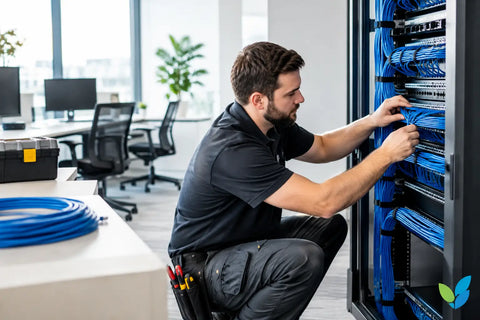
A cable installation is only as dependable as its verification. Every copper run should be tested and labeled, while fiber links should be properly terminated and tested for loss. Clear labeling at the rack and endpoint reduces downtime when equipment is upgraded or troubleshooting is needed.
Documentation is especially valuable in properties with multiple systems. When WiFi, surveillance, access control, audio-video, and automation share the same infrastructure, knowing exactly which cable serves each location helps protect the investment. It also makes future changes faster and less disruptive.
Wall Street Networks designs cabling around the way each property will actually operate, from a single upgraded home office to multi-room commercial infrastructure. The best next step is to map the devices, distances, and future plans before walls are closed or equipment is purchased. That conversation often reveals where fiber will earn its place and where dependable copper Ethernet will do the job better.