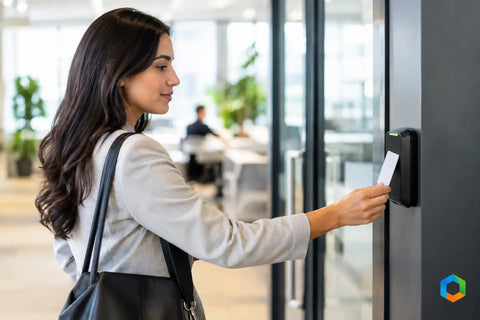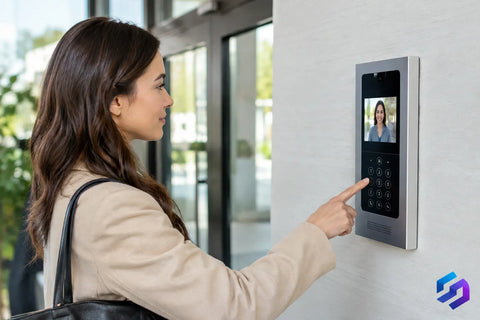
A resident standing outside in the rain, a delivery driver waiting at a locked door, and a property manager trying to grant access from off-site all expose the same problem: the front entrance cannot be an afterthought. A successful apartment intercom deployment gives residents a simple way to receive visitors while giving ownership clear control over who enters, when, and through which door.
The best systems feel straightforward at the entry panel. Behind the wall, however, they depend on sound cabling, reliable network design, properly selected locks, and a clear operating plan. For a two-unit renovation, that may mean a compact video intercom with mobile app access. For a larger multifamily property, it may require multiple entry points, tenant directories, elevator integration, package-room access, and administrative controls that remain manageable as residents move in and out.
Start Apartment Intercom Deployment With the Building
An intercom should be designed around the property’s daily traffic, not around a single hardware feature. Start by identifying every point where a visitor, vendor, resident, or staff member needs access. The main lobby door is obvious, but side entrances, garage pedestrian doors, gates, package rooms, amenity spaces, and service corridors can create the real security gaps.
The building’s construction also shapes the project. A prewar building with plaster walls and limited pathways calls for a different approach than a new-construction property with dedicated low-voltage conduits. Existing risers, telecom closets, electrical capacity, and door-frame conditions should be verified before equipment is ordered. A system can look great on a floor plan and still become expensive if installers discover there is no practical route to each apartment or no suitable location for a controlled power supply.
At this stage, clarify who will manage the system after installation. A condominium board, onsite manager, landlord, or third-party management company may each need different levels of access. Define who can add residents, issue temporary credentials, review door events, change directory listings, and respond when a tenant loses a phone or key fob.
Choose the Right Resident Experience
Most apartment intercom systems now offer a choice between in-unit hardware, mobile credentials, and shared access methods. The right mix depends on the resident profile and the property’s service expectations.
A mobile-first system is appealing because residents can answer video calls and unlock the door from wherever they are. It reduces the need to install a dedicated indoor station in every unit and can simplify updates when apartments turn over. The trade-off is that mobile access depends on smartphones, app permissions, and reliable internet service. A thoughtful deployment should always include a practical alternative for residents who prefer a physical key, fob, keypad code, or indoor station.
In-unit video stations make sense in premium properties, larger apartments, and buildings where the owner wants a familiar, dedicated control point. They can also provide a more consistent experience for residents who do not want access to depend on their personal device. The trade-off is higher hardware and installation cost, especially in an occupied building where each unit requires a cable path and scheduled access.
The exterior panel matters just as much. A touchscreen directory can offer a polished interface and remote updates, but it must remain readable in direct sun and usable with gloves, wet hands, and varying heights. Physical call buttons are less flexible but can be faster for a small property with a fixed resident list. Camera placement, speaker quality, and lighting deserve careful attention. A sharp camera image is of limited value if visitors are backlit by the afternoon sun or the audio is unusable beside a busy street.
Build the Network and Wiring for Reliability
Intercom reliability is infrastructure reliability. If the system is IP-based, the entry panel, access controllers, cameras, management station, and network equipment need stable power and a properly designed network. Consumer-grade WiFi at the front door is not a deployment strategy.
Whenever possible, use hardwired Ethernet to connect entry panels, controllers, and cameras. Power over Ethernet can simplify installation by carrying data and power on one cable, while a managed switch allows the integrator to monitor devices and isolate issues. For larger properties, separating security and building-access traffic from resident internet traffic improves performance and helps protect sensitive systems.
Network closets should be planned as serviceable spaces, not as hidden afterthoughts. Equipment needs ventilation, labeling, surge protection, battery backup where appropriate, and enough capacity for future devices. A power outage can affect more than the intercom. If electric strikes, maglocks, controllers, or network switches lose power, the building needs a defined behavior that supports both security and safe egress.
Wireless bridges and cellular connections can help where trenching or new cable runs are impractical, but they should be evaluated honestly. They may be suitable for a remote gate or temporary construction condition, yet they introduce more variables than a properly installed cable. The decision should reflect the criticality of that door, the surrounding environment, and the cost of future service calls.
Coordinate Doors, Locks, and Life Safety
An intercom can only grant access if the door hardware is designed to accept it. This is where many projects become more complicated than expected. A warped frame, damaged closer, misaligned latch, or weak hinge can prevent a perfectly good access-control system from operating consistently.
Before deployment, inspect each opening and select the locking method for that specific door. Electric strikes often work well with existing latch hardware. Electrified trim may be appropriate for certain commercial-style doors. Magnetic locks can be effective in the right application but require particular attention to code requirements, emergency release, and fail-safe operation. Exterior gates, glass storefront doors, and common-area doors each have different installation constraints.
Never treat door access as separate from life safety. Fire alarm interfaces, request-to-exit devices, emergency exits, accessibility requirements, and local code requirements must be coordinated with qualified professionals. The goal is not simply to keep unauthorized visitors out. Residents and staff must always be able to exit safely and legally.
Plan for Deliveries, Vendors, and Resident Turnover
Apartment access is rarely limited to invited guests. Delivery drivers, dog walkers, cleaners, maintenance staff, contractors, and prospective tenants all need different levels of access. A building that relies only on residents answering every call may create frustration and encourage workarounds such as propped-open doors or shared entry codes.
A better policy uses temporary, limited credentials where appropriate. A vendor code can be restricted to specific hours. A property manager can issue access for a scheduled service visit and remove it afterward. Package-room access can be separated from residential floors. These details reduce the need to distribute permanent keys and make it easier to understand what happened if an issue arises.
Resident turnover should be equally simple. When a tenant moves out, their mobile access, PINs, fobs, and directory listing should be removed promptly. When a new resident moves in, management should be able to add them without calling an installer for routine changes. That requires a system with clear administrative tools and a team willing to train the people who will use them.
Test the Entire Apartment Intercom Deployment
Commissioning is where an installation becomes an operational system. Test every call path, every unlock command, every credential type, and every door position. Confirm that calls reach the correct resident, audio remains clear, video is usable day and night, and doors relock consistently after use.
Testing should include normal and abnormal conditions. What happens if internet service drops? What does the entry panel display if a resident has not set up the mobile app? Can staff access the building during a power interruption? Does a door alarm notify the right person when it is held open? The answers should be documented before the project is handed off.
Training should be practical. Property staff need to know how to add and remove users, issue temporary access, check basic door status, and contact support. Residents need a brief, clear onboarding process rather than a lengthy manual. Good technology is easier to adopt when the first use is successful.
Make the System Easy to Support
A lower upfront price can become costly when equipment is difficult to service, subscriptions are unclear, or replacement parts are unavailable. Consider the total operating picture: licensing, remote support, firmware updates, replacement credentials, battery backup maintenance, and the expected lifespan of exterior equipment.
Wall Street Networks approaches multifamily technology as a connected system, combining low-voltage wiring, managed networking, door access, surveillance, and user-facing controls under one coordinated plan. That approach helps avoid the common gap between the company installing the intercom and the team responsible for the network or door hardware.
The right apartment intercom is not the one with the longest feature list. It is the one that residents can use without hesitation, management can administer with confidence, and the building can depend on at every entrance. A detailed site walk before equipment selection is often the most valuable step in getting there.